 Your cart is empty.
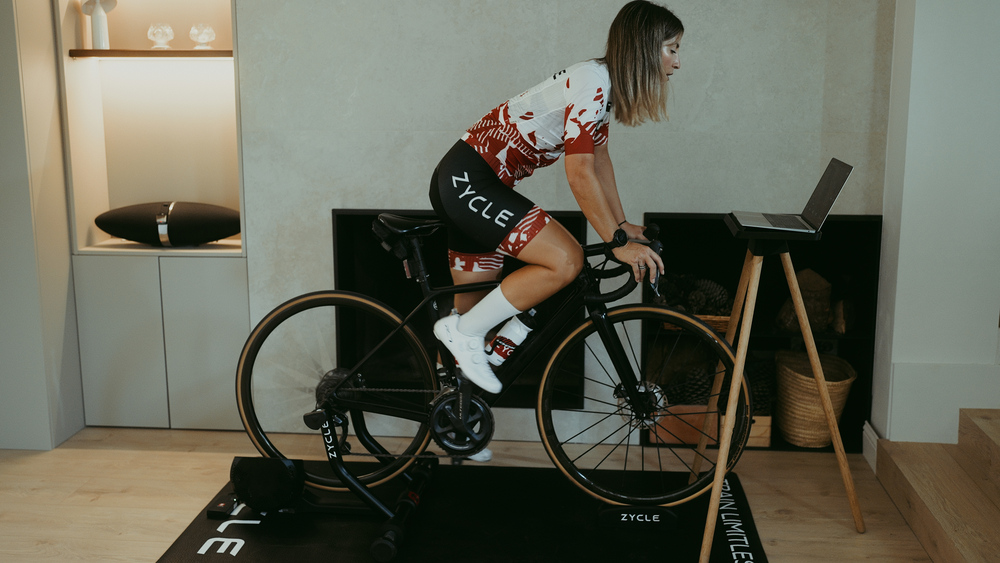
You start a 200 W interval and, even when you change your pedalling rhythm, the reading stays close to the target. That is what ERG mode on a trainer aims to do: the app sets a power target and the trainer adjusts resistance to help you hold it. It feels very different, however, if your cadence suddenly drops.
Understanding this behaviour helps you avoid mistaking normal operation for a fault. ERG is convenient for structured sessions, but it is not necessarily the best option for every effort. It also requires the app to control the trainer. If the app only receives power data, the workout can appear on screen without regulating the load. Before starting, check that ERG is available for that particular workout.
How it regulates resistance and why cadence matters
In a programmed session, each block has a target power. With ERG enabled, the smart trainer adjusts resistance to approach that target. This is not a virtual gradient: during the interval, the load responds to the workout.
To put this function into context, read what a smart trainer does during a session and distinguish the data it sends from the control commands it receives. Imagine a block at 180 W. When you move from a comfortable cadence to a much lower one, you need to apply more force with each pedal stroke to maintain those watts. The trainer usually responds with more resistance, making it harder to regain your rhythm. If you start pedalling faster again, it reduces the resistance. ERG regulates resistance, but it does not pedal for you or make an excessively high target reasonable.
This response explains why a sudden drop in cadence can feel like a lock-up. TrainerRoad recommends maintaining a steady, comfortable rhythm during most ERG blocks. You do not need to aim for a single cadence that suits everyone, but you do need to start the interval already pedalling steadily. Waiting for resistance to rise before speeding up is usually the difficult part.
If this happens often, review how to train your cadence on a trainer and enter the next interval at a rhythm you can sustain. If the load no longer lets you turn the pedals with control, temporarily reduce the intensity if the platform allows it. You can also stop safely and resume once you have recovered your rhythm. Fighting against resistance that has brought the pedals to a halt does not improve the quality of the interval.
When it helps and when to switch it off
ERG is useful for sustained blocks at a defined power: it saves you having to correct every small variation by changing gear. During a long interval, you can concentrate on keeping your pedalling steady and observing how your breathing responds. That convenience helps you follow the planned structure, although it is worth accepting small fluctuations rather than chasing a perfect 180 W every second.
During a brief acceleration, however, the trainer may take longer to reach the desired load than the effort itself lasts. Some VO2max intervals on a trainer can be done in ERG mode, but for a sprint you may prefer to regulate the load yourself. Try the mode that lets you perform the interval without slowing the movement or looking at the screen with every pedal stroke.
What changes in an FTP test
During the intervals of a twenty-minute or eight-minute FTP test, TrainerRoad uses a free or resistance mode. The aim is to measure what you can sustain without ERG setting the power. A ramp test, on the other hand, may work with ERG depending on the platform. The protocol determines the mode: do not switch simply because a different test works that way.
ERG, manual resistance and gradient simulation
In free or resistance mode, you adjust the load through gearing, cadence or the configured level. Power is the result of what you do, rather than a target the trainer tries to impose. In simulation, the app changes the resistance according to the virtual terrain.
Platforms use different names and controls, so check which mode actually appears on screen. Our ZDrive MAX trainer with controllable resistance can connect to compatible simulators through Bluetooth FTMS, ANT+ or USB. That connectivity does not activate ERG by itself: the app must recognise the trainer as a controllable device, and you must start a workout that supports the mode. In Zwift, for example, the ERG setting appears within workouts, not on every free ride.
If resistance does not respond as expected
Check that the trainer has power and that the app has paired it both as a power source and as the device controlling resistance. Zycle points out that, in Zwift, the resistance section must display the controllable equipment. If another phone still has a Bluetooth connection to the trainer, disconnect that phone and pair the trainer again before repeating the test.
Then check the target power, the configured FTP and the type of block. A free interval does not ask the trainer to hold a wattage, and an excessively high target can make the resistance feel impossible to overcome. Update firmware only by following Zycle's instructions. If the load does not change after these checks, record the app, the mode and what happens so you can discuss it with support.
Choose the mode to suit the session
Before starting, look at what the block requires. For a long interval at a prescribed power, ERG can help you stay consistent. For a sprint or a maximal test, free mode gives you more room to pace yourself. Change mode according to the aim of the session, not because one seems more advanced than the other.
If resistance gets harder as cadence drops, first check your rhythm and target power. If the trainer never gets close to the target, check that the app controls resistance. These are different problems and need different responses. A short test before the main session helps you spot them without turning the workout into a string of improvised adjustments.